
Whitepapers
The latest capabilities of the Diagnostic OS
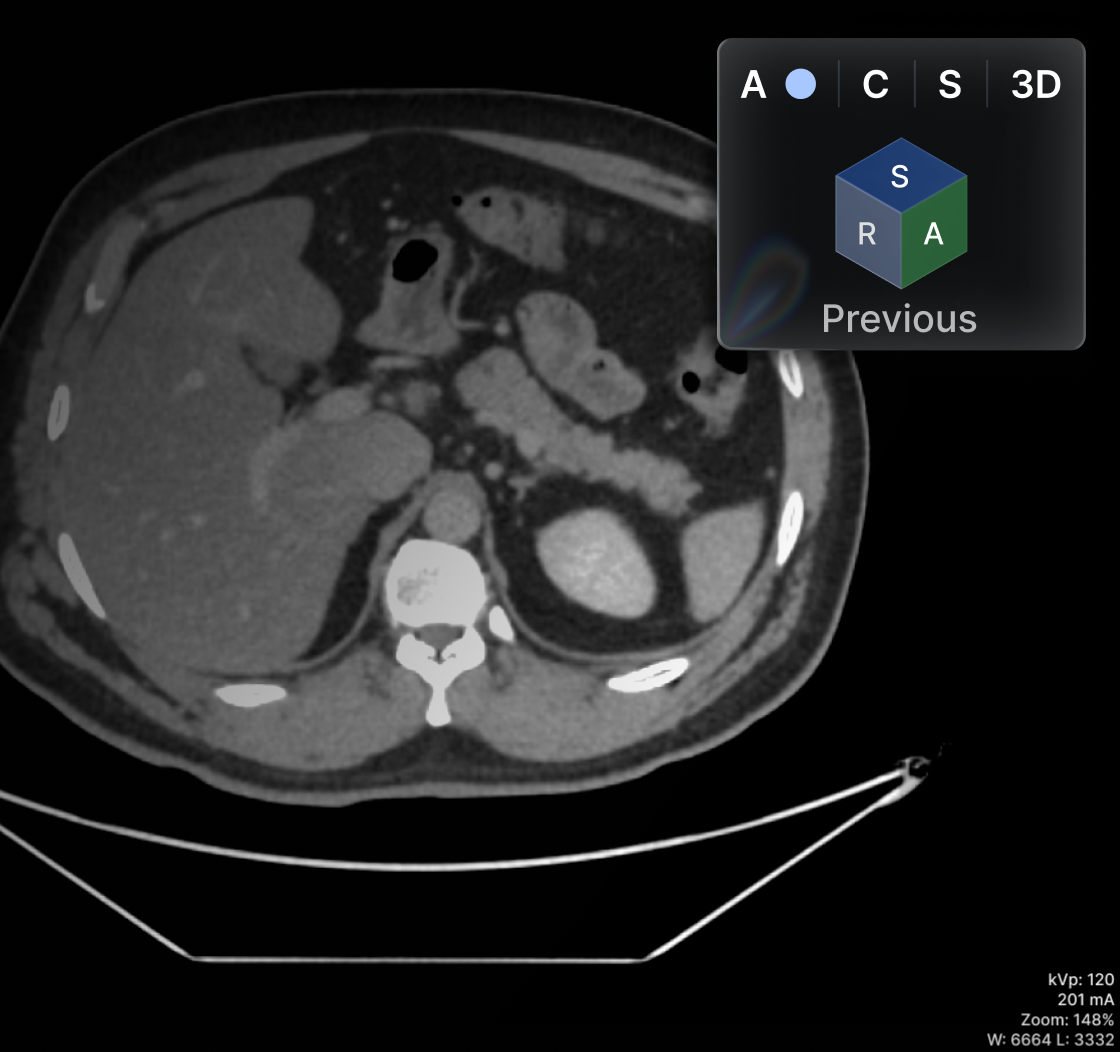
Oblique MPR in the main viewer (not only on the MPR viewer)

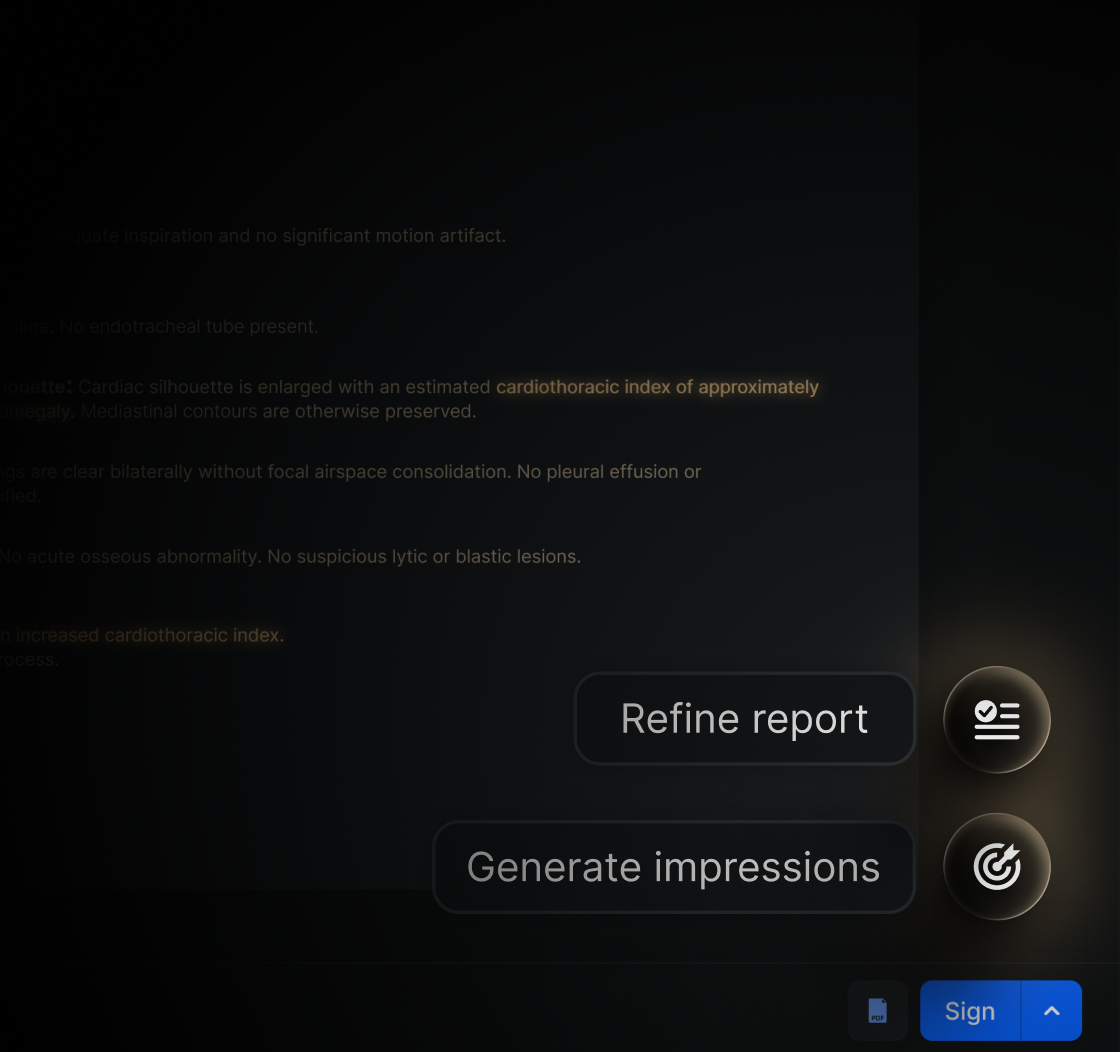
.png)
Browse all

Security and Compliance: Two Reasons to Switch to a Cloud PACS
In the midst of the digital era, radiology and imaging institutions face a triple challenge: ensuring maximum protection of sensitive clinical data, maintaining strict regulatory compliance, and modernizing their technology infrastructure efficiently. On-premises PACS systems have made it clear that they are not up to this challenge; the answer lies in a system that is 100% cloud-native.
Data security as an absolute priority
Cyberattacks against healthcare institutions have doubled in recent years, and the number continues to rise. Sources report that the healthcare sector frequently operates with outdated IT systems that are difficult to operate and costly to maintain. This leaves institutions vulnerable to security gaps and cyberattacks.
Faced with this reality, Eden RIS/PACS offers protections that far exceed those of on-premises systems, operating 100% cloud-native with an infrastructure backed by AWS:
- AES-256 encryption for both data at rest and in transit, ensuring protection against unauthorized third parties.
- Data protection systems under ISO 27001 guidelines, an international certification.
-
Hassle-free regulatory compliance
Regulations such as HIPAA (Health Insurance Portability and Accountability Act) and local data protection laws impose increasingly strict requirements on healthcare institutions. Eden PACS solves this challenge:
- Complies with the industry's main regulatory standards, including HIPAA, ISO 13485, and local certifications in 18 countries.
- Being cloud-native, it updates automatically to comply with regulations and strengthen security systems without requiring external intervention.
-
Your radiology institution, safer and more efficient
In addition to its security and compliance advantages, Eden PACS's cloud-native infrastructure offers large-scale benefits for radiology institutions:
- Reducing costs in on-premises infrastructure, maintenance, and IT staff
- Enabling secure access to imaging studies and clinical data securely, allowing radiologists to work remotely without risk.
- Providing immediate scalability to continue adapting to your institution's growth, staying up to date without requiring new hardware investments.
-
Conclusion
In a landscape where cyber threats are increasingly sophisticated and regulations more demanding, Eden PACS represents the logical evolution for radiology departments. It is not simply about adopting new technology, but about ensuring operational continuity and protecting what matters most: your patients' data and your institution's reputation.
Eden's 100% cloud-native infrastructure is specially designed to maintain excellence in security and compliance while boosting your institution's efficiency. See for yourself: schedule a demo today at edenmed.com/agenda-demo
.avif)
Reveal Every Last Detail with 3D Window Adjustments
In a 3D reconstruction, it is critical to visualize even the smallest detail to generate an accurate diagnosis. That's why you can now control the WW/WC settings in Eden PACS's advanced 3D.
With just a move of your cursor, you can adjust brightness and contrast values, highlighting critical elements of the reconstruction and eliminating visual noise.
To adjust WW/WC values in your advanced 3D
- Enter the Eden PACS 3D viewer or select an MPR layout that includes a 3D viewport.
- In the upper right corner, select the WW/WC tool.
- In the 3D reconstruction, click and drag your cursor up or down to adjust the values manually.
- To increase brightness, drag the cursor upward.
- To increase contrast, drag the cursor downward.
Window adjustments are now available for 3D reconstructions in your Eden PACS. Try it today: take control of your 3D visualization for a clearer, more precise interpretation, down to the smallest detail.
Have you tried it yet? If you have any questions, our team of experts is ready to help you in the Eden PACS support chat, or by email at soporte@edenmed.com

Signs It's Time to Change Your PACS System
In radiology, your tools dictate your workflow. That's why an outdated PACS system undermines productivity, patient care, and your lab's profitability. If you're facing any of the following issues today, it's time to consider an upgrade.
1. Slow image loading
A PACS that is slow to load images or access prior studies creates bottlenecks, affects the patient experience, and reduces responsiveness in emergencies. This not only reduces productivity at your institution, but also undermines your reliability and affects patient and referring physician retention.
With Eden PACS, that problem disappears. Its robust infrastructure, powered by AWS (Amazon Web Services), guarantees 99.9% uptime and fast access to images stored in the cloud.
2. Lack of integration with other systems
If your PACS doesn't communicate efficiently with your RIS, HIS, or other health systems, information exchange becomes slow and error-prone. Especially in institutions with multiple sites, interoperability is key to an efficient workflow.
Eden PACS has more than one hundred integrations that allow it to work alongside other systems and prevent data loss. In addition, together with the Eden Management RIS module, it is possible to create a single workflow for your entire institution, ensuring communication between branches from a single platform.
3. High maintenance and support costs
PACS systems require manual updates, physical servers, and constant maintenance, which translates into high operating costs. In addition, downtime caused by technical failures can affect productivity.
Eden PACS, being cloud-native, offers operational agility with uninterrupted updates, with no need to invest in local infrastructure or maintenance. In addition, the Eden team is available 24 hours a day to provide technical support, eliminating wait times and the need for additional hires.
4. Limited experience for physicians and patients
If your physicians cannot access studies outside the hospital, or your patients must pick up their results in physical form, your PACS is outdated. An updated system should offer secure remote access to speed up results delivery and ensure an outstanding experience.
Eden PACS goes further, sending digital results instantly via WhatsApp through the first 100% mobile DICOM viewer. This way, both patients and referring physicians will have in hand high-quality medical images, diagnostic reports, and a complete radiology history, without paper, USB drives, or long wait times.
Upgrading your PACS is a critical decision for improving operational efficiency and quality of service at your radiology institution. Eden PACS offers a scalable, cloud-native solution with full interoperability to transform the management of medical images.
Request your demo today and discover how Eden PACS can take your radiology department to the next level.

The 3 Hidden Costs in Your Radiology Department
In the daily operation of a radiology department, it is common to focus on study volume and equipment utilization. However, there are hidden costs that go unnoticed, affecting profitability and reducing operational efficiency at your institution.
Below, we explain the three most common hidden costs, and how you can eliminate them with the right RIS/PACS.
1. Delays in the Delivery of Imaging Results
Every minute of delay in delivering results affects the clinical workflow. Schedules get disrupted, your team becomes overloaded, and both patients and referring physicians lose confidence in your service. This affects not only immediate revenue, but also loyalty in the long run.
Slow PACS systems and physical delivery of results only worsen the problem. That's why Eden PACS operates in the cloud, streamlining the storage, interpretation, and delivery of medical images digitally. In addition, with its mobile patient portal, results reach your patients instantly, without friction or delays.
2. Errors in Patient Registration in the RIS/PACS System
Although they may seem minor, patient registration errors generate significant hidden costs. An incorrect ID or incomplete data causes study duplication, hinders clinical follow-up, and affects the traceability of the medical imaging history. Every error forces your team to spend time correcting information instead of focusing on accurate diagnoses and patient care.
Eden RIS/PACS solves this problem with an integrated platform that ensures interoperability and consistency across all your centers. This ensures fast and accurate access to clinical histories, without errors or redundancies.
3. Downtime Caused by Outdated PACS Systems
Traditional PACS systems generate hidden costs through downtime, technical failures, and slow support that depends on physical maintenance. This impacts operational continuity, raises infrastructure expenses, and limits productivity.
Eden PACS, with its cloud-native infrastructure, eliminates the need for local hardware and reduces maintenance costs. It also offers automatic updates at no additional charge and 24/7 technical support to scale your operation and maximize your institution's profitability.
Conclusion
Hidden costs in radiology affect the operating margin and the quality of service. Identifying and correcting them is key to ensuring the institution's sustainability.
With its cloud-native, interoperable, and continuously updated system, Eden RIS/PACS is the answer to eliminating these costs. It replaces inefficient processes with agile, 100% digital delivery, reduces errors, and optimizes the radiology workflow, improving patient care and the institution's profitability.
Request your demo today and learn how to unlock the true potential of your radiology department with Eden.
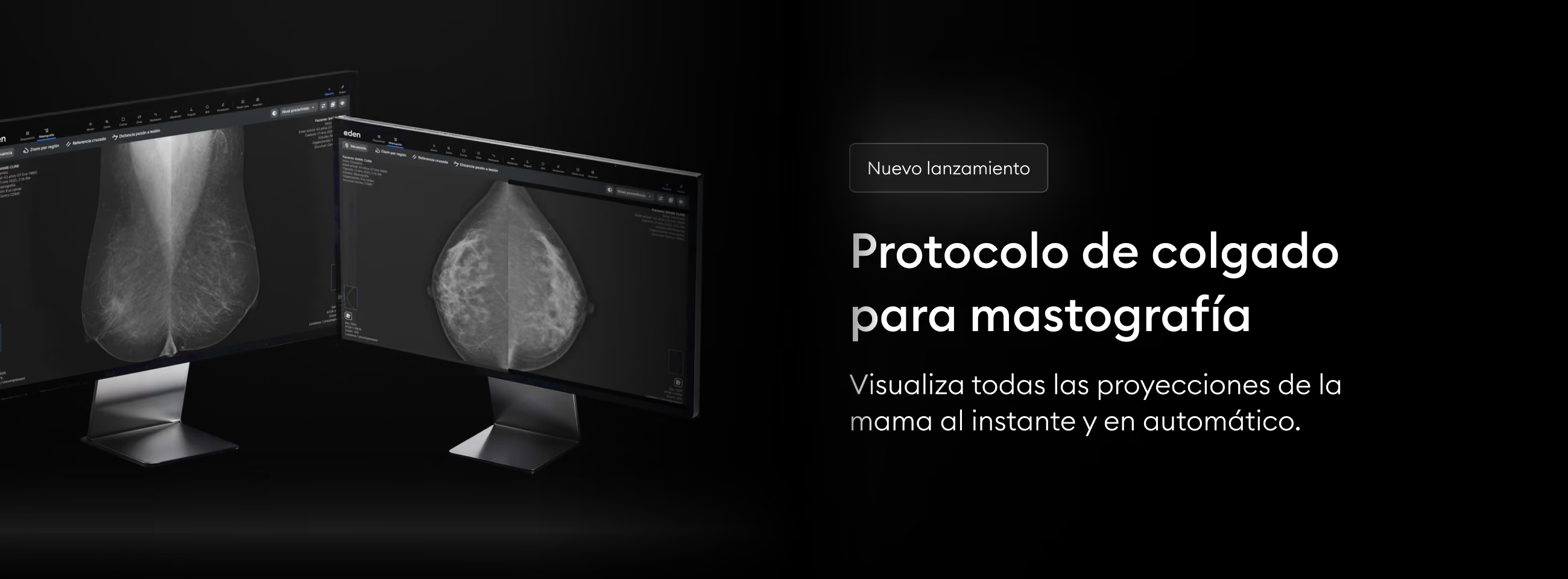
Automatically Arrange Mammography Projections
In a breast diagnosis, every second counts to save the life of a mother, daughter, or grandmother. Don't waste time organizing images: the new hanging protocol in Eden PACS automatically arranges all breast projections for you.
Now, when you open a mammography (MG) study, the images will be arranged automatically to give you a complete view of the breast and speed up your interpretation. You can also enable the synchronized monitors feature in Settings, to automatically arrange these projections across two screens at once.
How to activate the hanging protocol in Eden PACS?
- Find the mammography study in your study list.
- Make sure the study is categorized as "MG" in the "Modality" column. Otherwise, you will need to adjust your CR settings to ensure all your future mammograms are registered correctly.
- Click on the study to open it in your DICOM viewer. The hanging protocol will activate automatically.
Try the Eden PACS hanging protocol today and deliver timely diagnoses to thousands of women eagerly awaiting their mammography results.
Have you tried it yet? If you have any questions, our team of experts is ready to help you in the Eden PACS support chat, or by email at soporte@edenmed.com
How to Choose the Ideal PACS for Teleradiology
Teleradiology has revolutionized healthcare by enabling remote interpretation of imaging studies. To ensure accurate diagnoses and an agile workflow, it is essential to have a PACS system that optimizes the management of medical images in remote settings. Below, we explain the key aspects to consider when choosing the ideal PACS for teleradiology.
Fast, real-time accessible PACS
A PACS designed for teleradiology must ensure fast loading and visualization of studies, even with variable internet connections. By accessing high-quality images without delays, specialists can streamline the diagnostic process and deliver results in less time.
Eden PACS features a cloud-native infrastructure, ensuring its accessibility anytime and from anywhere. It also offers the first 100% mobile DICOM viewer, enabling excellent diagnoses even from a mobile phone.
Security and HIPAA compliance
Remote transmission of medical images requires high security standards. A suitable PACS must comply with international regulations such as HIPAA, ensuring data encryption, multi-factor authentication, and audit logs to prevent unauthorized access.
At Eden, we ensure excellent cybersecurity with additional certifications such as ISO 27001 for data protection, in addition to complying with regional regulations in 18 countries across Latin America.
Interoperable RIS/PACS with system integrations
To maximize efficiency, your PACS system must be able to communicate with RIS (Radiology Information System), HIS (Hospital Information System), or electronic health record (EHR) platforms used in your radiology department. Seamless interoperability enables automatic data transfer and avoids duplication of administrative processes.
Eden offers a complete ecosystem that includes RIS, PACS, results delivery, and patient clinical history under a single license. This creates efficient workflows, free of friction or redundancy, even remotely. Additionally, our systems are interoperable and offer hundreds of integrations to adapt to your institution's needs.
DICOM viewer with high-specialty tools
Finally, to deliver excellent diagnoses, you must ensure that your DICOM viewer offers tools such as 3D reconstruction and MPR. These features enhance diagnostic accuracy and optimize specialists' analysis time.
With Eden PACS, your radiologists also have access to advanced tools such as PET-CT, blood vessel reconstruction, and specialized suites for orthopedics and mammography. This allows you to expand your service catalog, offering high-specialty diagnoses on a 100% remote basis.
Conclusion
Choosing the right PACS for teleradiology is essential to ensure fast, secure remote diagnoses. Factors such as loading speed, security, compatibility, interoperability, and advanced tools should be top priorities when selecting the system.
With Eden PACS, you have at your disposal a cloud-native ecosystem, designed to deliver diagnostic excellence from anywhere. Discover its potential today. Schedule your demo.

5 Keys to Optimizing Efficiency in Radiology
To achieve an agile, frictionless workflow in radiology, it is crucial to implement technological solutions that optimize processes without compromising diagnostic accuracy. Below, we explore five essential keys to maximizing efficiency in your radiology department.
1. Ensure the Interoperability of Your PACS System
Lack of connectivity between systems creates time losses, interruptions, and errors. That's why it is essential to make sure your PACS system is interoperable. This way, it will be able to integrate all of your institution's modalities and platforms, from study upload to result delivery, ensuring frictionless workflows.
That's why Eden PACS offers a robust API with more than one hundred integrations and specialized teams to maintain stable connections between equipment, ensuring complete interoperability from anywhere.
2. Choose Highly Specialized Diagnostic Tools
Diagnostic accuracy and speed depend on the tools you use. Intuitive, powerful tools shorten learning curves, reduce loading times, and lower the rate of medical error.
With Eden PACS, radiologists have access to advanced tools such as MPR, 3D and even vessel reconstruction, which generate detailed images in seconds. The DICOM viewer is also highly customizable, with keyboard shortcuts and monitor configurations that adapt to each radiologist's workflow.
3. Implement Smart AI-Driven Workflows
Repetitive tasks such as writing reports and restating routine findings reduce productivity and lengthen delivery times. However, new artificial intelligence implementations are able to automate these processes, freeing up radiologists' time for critical tasks.
At Eden, AI is built into the platform, streamlining study assignment, voice dictation of medical findings, and the generation of report conclusions, allowing radiologists to focus on diagnostic quality.
4. Deliver 100% Digital Radiology Results
Physical results, such as film or CDs, create inefficiencies and additional costs. Even digital portals that aren't user-friendly can cause your staff to lose time solving technical issues or resending results to patients.
Eden streamlines this process with digital delivery through WhatsApp, in an intuitive, fully mobile portal. This way, patients receive their results instantly and securely, without the need for additional technical support.
5. Centralize Your Operation in a Single Digital System
Fragmented information management increases errors and redundancy. A centralized Radiology Information System (RIS) stores and organizes all patient data in one place, improving efficiency and collaboration between branches.
That's why we created Eden Management: a 100% cloud-based RIS that lets you manage study orders and maintain smooth communication between all the key points of your operation, at no additional cost.
Conclusion
Maintaining efficiency in radiology requires powerful, intuitive digital solutions that streamline workflows, minimize errors, and eliminate repetitive tasks. At Eden, these tools are at your service with a single license.
Request your Eden PACS demo today and discover how we can optimize your radiology department.
.png)
Interpret Without Interruptions Using Custom Keyboard Shortcuts
With Eden PACS, turn your keyboard into a universe of shortcuts, customized just for you.
Now you can access your diagnostic tools instantly, just by pressing the key you choose. This way, you can interpret without interruptions, boosting agility and accuracy in a workspace built around you.
To customize your keyboard shortcuts in Eden PACS
- Go to the “Settings” panel and select the “Shortcuts” tab.
- Find the tool you want to customize and click on its assigned shortcut.
- Press the key you want to assign to this tool.
*If the key is already in use for another tool, you will receive an alert and will need to choose a different shortcut.
- Click “Save Settings” and start using your new shortcut.
Interpret with agility, deliver accurate diagnoses, and customize workflows with keyboard shortcuts in Eden PACS. Set up yours today.
Have you tried it yet? If you have any questions, our team of experts is ready to help you in the Eden PACS support chat, or by email at soporte@edenmed.com

AI in Medical Imaging Diagnosis: What You Should Know
AI applied to radiology is already raising diagnostic accuracy and speeding up study interpretation times at thousands of healthcare institutions. However, its implementation must be strategic to ensure effectiveness and safety in clinical practice.
Automation and diagnostic accuracy with AI
AI in radiology makes it possible to eliminate repetitive tasks such as analyzing plain radiographs and writing radiology reports, reducing specialists' workload and minimizing errors. Eden includes artificial intelligence tools throughout its RIS/PACS system, including Eden Creator, the generative AI that now saves radiologists up to 1 hour of work per day and speeds up result delivery by up to 30%.
Integration with PACS systems and clinical workflow
For artificial intelligence to be truly effective at your institution, it is essential to consider its integration into your clinical workflows. Currently, the most common use of AI in radiology involves separate tools, each with an additional cost, that function as add-ons to the institution's DICOM viewers. This forces radiologists to switch from one program to another, reducing productivity and, above all, lengthening the delivery times of results that can be critical.
At Eden, we eliminate these problems with frictionless AI integrations at no additional cost, built directly into Eden PACS. This provides immediate access to tools like Eden Creator, which generates diagnostic conclusions for radiology reports. In addition, radiologists can use features such as voice dictation or their automatically updating worklist with a single click.
Ethical and security considerations
While AI offers major benefits, its implementation must account for ethical and security considerations. Protecting medical data is essential, which makes it critical to ensure compliance with cybersecurity standards, such as ISO 27001 in the case of Eden.
Another critical aspect is that AI must act as a support tool for radiologists, without replacing human oversight in study interpretation. However, by choosing the right tools, such as Eden Creator, which allows the radiologist to edit and correct at every step, it is possible to ensure diagnostic accuracy with minimal risk of medical error.
Conclusion
Artificial intelligence is transforming medical imaging diagnosis, enabling greater accuracy and efficiency in radiology. But to unlock its true potential, it is essential to have compatible tools that integrate into the radiologist's workflow instead of becoming an obstacle to productivity.
The true value of AI is elevating medical work: get tools that ensure a precise, high-quality, frictionless experience for your radiologists and referring physicians. Request your demo of Eden PACS today.
.avif)
Optimize MPR Visualization with Slice Switching
To interpret with precision, every detail must be visible in an instant. That's why you now control what you view in MPR.
With the Slice Switching tool in Eden PACS, you'll be able to choose the slice you want to focus on with a single click. This way, you can give greater visibility to a key slice while keeping a complete view of the reconstruction, boosting the precision and agility of your interpretation.
To switch slices in MPR
- Enter the MPR tool in your DICOM viewer and select a layout from the toolbar.
- At the top of each pane, you'll see a menu with the slice options: Axial, Coronal, Sagittal, and 3D.
- Click on the slice type you want to view in that pane. The remaining windows will adjust to display the rest of the reconstruction, so you keep a complete view of the study while giving greater or lesser priority to certain slices.
The slice switching tool is now active for all our Eden PACS users. Discover it today to take control of your MPR, adjust your workspace in an instant, and take your interpretation to the next level.
Have you tried it yet? If you have any questions, our team of experts is ready to help you via the Eden PACS support chat, or at soporte@edenmed.com
.avif)
Flag Urgent Findings Instantly in Eden PACS
In an emergency, a quick decision can save lives. Make it in seconds with the critical values feature, now available in your Eden PACS.
What it is
This tool lets you instantly flag urgent findings in a study, even before you've finished the interpretation. This makes it possible to notify others at your institution that the patient requires immediate medical attention, while keeping an internal record of these findings.
How to flag a critical value
To flag a critical value in a study, follow these steps:
- On the "Write report" tab, click on the option "Critical values".
- Search for and select one or more of the critical values included in the list.
To request changes or customizations to this list, contact our support team at soporte@edenmed.com - Write your observations about the finding and click "Accept".
The critical value will not appear in the results report, but it will be visible from the Study List. - From your Study List, you'll be able to edit your observations and add more critical values to an unsigned study. Once the study is signed, no further changes will be possible.
Boost your department's response times, create frictionless communication flows with the rest of your institution, and provide the necessary care to those who need it most. Try the critical values feature today, in your Eden PACS.
Have you tried it yet? If you have any questions, our team of experts is ready to help you via the Eden PACS support chat, or by email at soporte@edenmed.com

3 Rules to Ensure the Cybersecurity of Your PACS
A cyberattack puts not only patient information at risk, but also the institution's operations and reputation. In this blog, we explore three key strategies to strengthen the security of your PACS: holding international certifications, using cloud storage, and establishing robust access controls.
1: Choose a PACS System with International Certifications
- HIPAA regulation: This standard sets clear requirements for protecting the privacy and security of information in the healthcare industry.
- ISO 27001: This international certification ensures that the system meets advanced information security management standards.
Choosing a system with these certifications will protect your institution from potential legal penalties and ensure the safety of your patients. Eden PACS also holds regional certifications for Mexico, Brazil, South America, and Central America, safeguarding the privacy of healthcare institutions worldwide.
2: Secure Your Data with a Cloud Infrastructure
Cloud storage not only provides flexibility and accessibility for accessing radiology images: it is also key to strengthening cybersecurity.
- Encryption and digital safeguards: Cloud systems incorporate advanced physical and logical security measures, such as access controls and data encryption, to protect medical images.
- Data backup: The cloud offers disaster recovery options, ensuring that essential patient data remains available even in the event of cyberattacks or local system failures.
- Automatic updates: With a cloud infrastructure, your systems receive real-time security updates, reducing vulnerability to attacks without interrupting your workflows.
By migrating to the cloud, healthcare institutions can focus on their daily operations while trusting that their data is protected by industry best practices.
3: Implement a Data Security Strategy
Technology alone is not enough; institutions must establish internal policies that reinforce the security of their PACS systems:
- Role-based access controls: Limit access to medical data to authorized personnel only. Eden PACS administrator users can change their staff's permissions directly, regulating access to patient studies and even institutional data analytics.
- Ongoing training: Educate your staff on cybersecurity best practices, such as identifying phishing emails and handling sensitive data securely.
These internal strategies complement the security provided by the system vendor and help create a safer environment for medical information.
Conclusion
Protecting PACS systems from cyber threats is not optional; it is a necessity for any healthcare institution that values the security and privacy of its patients. By choosing a system with international certifications, migrating to cloud storage, and establishing robust access controls, your institution will be better prepared to face today's security challenges. Do not leave security to chance: invest in a system that guarantees the protection of your medical data. Invest in Eden PACS. Schedule your demo today.
No papers match your search.